Mastering Peacock Line Art SVG: A Practical Guide for Creators and Buyers
The allure of the peacock is undeniable. With its intricate plumage and regal posture, it has become a staple in modern design, from bohemian home decor to sophisticated branding. However, finding the right digital asset can be surprisingly tricky. Many creators rush into downloading the first peacock line art svg they find, only to discover later that the file is unusable for their specific project. Whether you are a hobbyist using a cutting machine or a professional designer creating client deliverables, understanding the nuances of vector files is crucial.
This guide addresses common pitfalls when selecting and using elegant peacock vector files. By avoiding these frequent mistakes, you save time, reduce frustration, and ensure your final product looks polished and professional.
Misunderstanding File Formats and Compatibility
One of the most frequent errors beginners make is assuming all digital image files are created equal. You might see a listing that promises a "complete package" including SVG, PNG, EPS, JPG, and PDF. While this variety seems generous, each format serves a distinct purpose. Using the wrong one can ruin your workflow.
For instance, if you are using a Cricut or Silhouette machine, you need a true peacock cut file in SVG format. This vector format allows the software to read the paths for cutting. If you accidentally upload a high-resolution JPG or PNG instead, the machine will attempt to print the image rather than cut the outline, or worse, it may fail to recognize the shape entirely. Conversely, if you are designing a website banner, an SVG is ideal for scalability, but a PNG with a transparent background might be easier to implement depending on your coding skills.
Better Approach: Always check the software requirements before downloading. For cutting machines, verify that the SVG paths are closed and clean. For print-on-demand services, ensure you have a high-resolution PNG (300 DPI) or a vector PDF/EPS if the printer supports it. Do not rely on a single format for all applications.
Overlooking Path Complexity and Node Count
Aesthetic appeal often distracts buyers from technical quality. A detailed peacock vector might look stunning in a preview thumbnail, but if it contains thousands of unnecessary nodes, it can cause significant issues. High node counts can slow down design software, cause lag during editing, and lead to cutting errors where the blade jerks or skips.
This is particularly relevant for minimalist peacock design enthusiasts who expect clean lines. Some files marketed as "simple" are actually complex illustrations with hidden layers or overlapping paths that are not merged. When you try to resize these for a small sticker or a large wall decal, the imperfections become glaringly obvious.
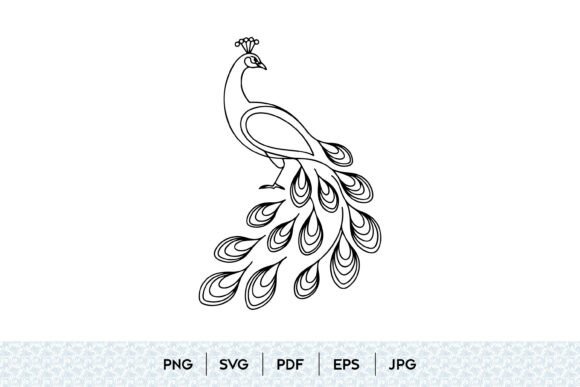
What to Check: Open the file in your vector editor before committing to a large project. Use the "simplify path" tool if necessary, but ideally, choose a file that is already optimized. Look for terms like "clean paths" or "optimized for cutting" in the description. A well-drawn continuous line peacock should have a single, unbroken path without stray anchor points.
Ignoring Licensing and Commercial Use Rights
Many freelancers and small business owners overlook the license agreement attached to their digital peacock download. It is a common misconception that buying a file grants you unlimited rights to use it however you wish. In reality, licenses vary significantly. Some allow personal use only, while others permit commercial use up to a certain number of physical sales. Using a boho peacock svg intended for personal crafts on products you sell on Etsy can lead to copyright strikes and account suspensions.
Furthermore, some licenses prohibit the use of the raw vector file in logos or trademarks. If you are designing a brand identity featuring an ornamental bird svg, you must ensure the license allows for trademarking. Otherwise, you may be forced to rebrand later, incurring higher costs.
Practical Advice: Read the license file included in the download folder. If it is unclear, contact the creator. Keep records of your purchases and licenses. For high-stakes projects, consider investing in extended licenses or hiring an illustrator to create a custom hand drawn peacock art piece that you fully own.
Neglecting Scalability and Design Context
Vector graphics are prized for their scalability, but not all vectors are designed with every scale in mind. A peacock feather outline that looks delicate and elegant at 12 inches may disappear completely when shrunk to 1 inch for a jewelry charm. Conversely, a highly detailed vintage peacock illustration might look cluttered and muddy when enlarged for a billboard or large wall art.
Creators often fail to test their designs at the intended size. They assume that because it is a vector, it will always look good. However, line weight matters. Thin lines in a black and white peacock design may break during the cutting process if they are too fine for the material being used, such as cardstock or vinyl.
Solution: Always preview your design at actual size. If you are creating a peacock tattoo design, consult with a tattoo artist about line thickness. For cut files, perform test cuts on scrap material. Adjust line weights manually if the default settings do not suit your medium. A graceful peacock drawing should maintain its integrity regardless of size, but this often requires minor adjustments by the user.
Choosing Style Over Substance
Trends change rapidly. Today, modern decorative svg styles are popular, but tomorrow, the trend might shift. Buying into a hyper-specific trend without considering longevity can limit the versatility of your assets. A floral peacock svg with very trendy font pairings or dated color palettes may look outdated within a year.
Instead, focus on timeless elements. A classic peacock silhouette vector or a clean animal outline illustration offers more flexibility. You can always add trendy colors or backgrounds later, but you cannot easily change the fundamental structure of a poorly chosen clipart.
Final Thought: Evaluate the core structure of the peacock contour drawing. Is it balanced? Is the anatomy plausible, even in a stylized form? Does it convey the elegance associated with the bird? By prioritizing structural quality over fleeting trends, you build a library of assets that remain useful for years. Whether you need a wildlife line art piece for an educational blog or a stylish peacock svg for a wedding invitation, choosing wisely ensures your creative efforts yield lasting results.